
Treasury
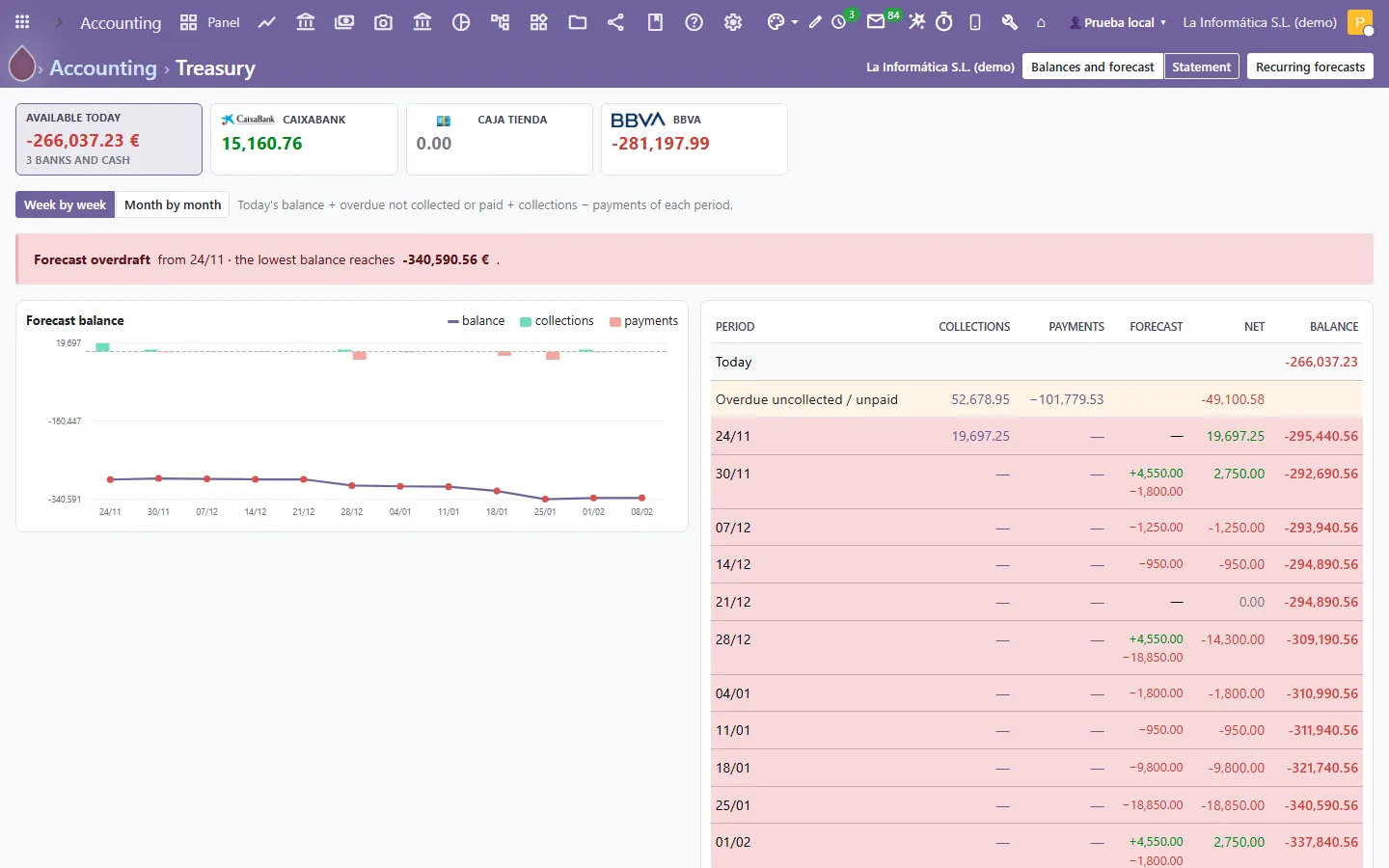
The balance of each bank and cash and the forecast of collections and payments by weeks or months, with the balance chart and the overdraft warning.
- Technical name
gerp_tesoreria- Author
- GestioERP · SIAM Cloud
Forecast
What comes in (pending customer invoices) and what goes out (suppliers and fixed expenses).
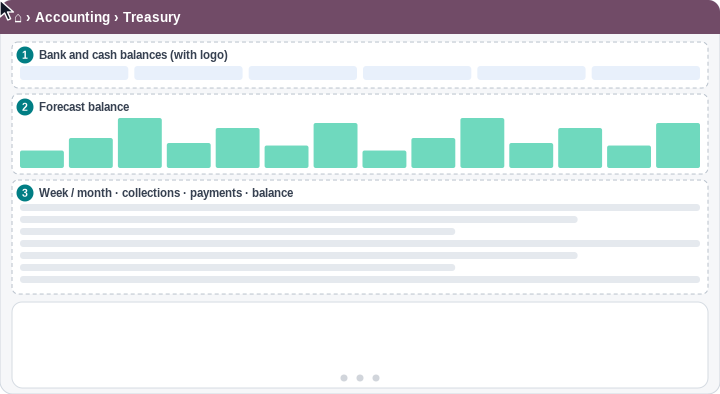
- What there is today in each bank.
- How the balance will look; in red if it goes overdrawn.
- Press a figure to see which invoices make it up.
The weekly forecast
In Treasury choose Week or Month; each row adds up the expected collections and payments and the balance.
The expected fixed expenses
In Treasury, manual forecasts (payroll, rent, taxes) are added in their list and appear in the relevant week or month.
The overdraft warning
If the expected balance drops below zero, the row and the chart are shown in red.
The detail of a forecast
Press any collection or payment in the table to see its invoices.
The bank balances
At the top of Treasury, each bank and cash account with its logo and today's balance.
The balance chart
The Treasury chart plots the expected balance week by week or month by month.
Expected payments to suppliers
The Payments column in Treasury: supplier invoices by due date plus the manual forecasts.
Expected collections
The Collections column: pending customer invoices by due date.
Questions
- How much cash will I have next month?
- Accounting › Treasury: each bank balance and the forecast by weeks or months.
- How do I see cash flow by week?
- Choose Week or Month.
- How do I add a fixed payment to the forecast?
- Manual forecasts in their list.
- How do I know if I'll run out of cash?
- If the forecast goes below zero it shows in red.
- How do I see which invoices make a figure?
- Click any figure to see its invoices.
- How do I see each bank balance?
- At the top, each bank with its balance.
- How do I see how the balance will go?
- The chart draws the expected balance.
- How do I see what I have to pay?
- Payments column.