
Documents (files)
The document manager with the thumbnail of the first page of each PDF.
- Technical name
gerp_dms_miniaturas- Author
- GestioERP · SIAM Cloud
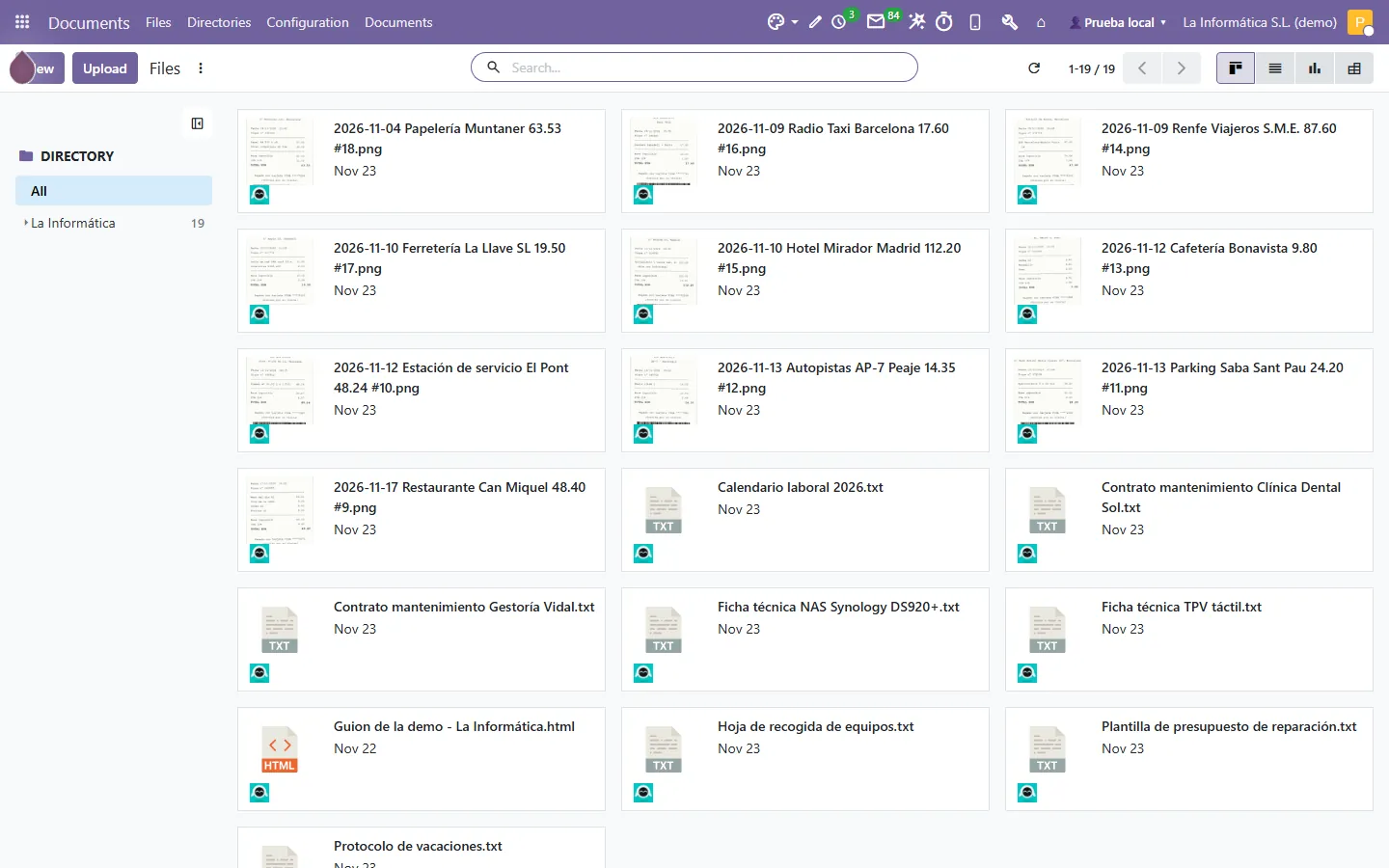
Files and folders
Documents menu › Files and Folders. The first time you view a PDF, its thumbnail is drawn.
Upload files
Documents › Files › «Upload» or drag it into the folder.
The folders
Documents › Folders › New.
The PDF thumbnail
The first time a PDF is viewed its thumbnail is drawn and saved; it takes a moment.
Open a document
Press the thumbnail: it opens in the viewer.
A customer's documents
On the record (customer, invoice…), Documents tab.
Search documents
Search box in Documents › Files and filters by folder and tag.
Folder permissions
In the folder, access groups (read, write).
The invalid operation warning
It no longer appears: if it still does, reload the page (Ctrl + F5).
Questions
- Where do I store documents?
- Documents › Files: «Upload» or drag the file into a folder.
- How do I upload a file?
- «Upload».
- How do I create a folder?
- Documents › Folders › New.
- How do I see the PDF's first page?
- Drawn the first time.
- How do I view a PDF?
- Click the thumbnail.
- How do I store documents on the record?
- Documents tab.
- How do I find a document?
- Search box.
- How do I restrict a folder?
- Access groups.
Other modules in Tools
EmailYour email accounts (IMAP/SMTP) inside Odoo: folders, read, reply, forward, compose with attachments and signature, and save an email on the customer or supplier record.Design of the documentsThe «GestioERP» design of invoices, quotes, orders and delivery notes: logo, rounded boxes, dark header and the background logo.SpreadsheetsOnline spreadsheets inside Odoo, with formulas, charts, pivot tables and live data from your company (Odoo lists and pivot tables, accounting functions, global filters). They can be uploaded and downloaded as Excel, and shared with collaborators (who edit) and readers (who can only view).Import from another programBrings in the data from FactuSOL, ContaSOL, ClassicGes, ClassicConta, Eurowin / Sage 50 and others: customers, suppliers, products, invoices and accounting.Human resources (payslips and staff)The staff part in one place: Human resources dashboard, payslip data in the employee record, payslips calculated or scanned with AI with their payroll journal entry, Social Security, IRPF and payment, payslips attached to the worker in their TimeTracker, and access to absences, expenses, timesheets and projects.Customize (Studio)Create apps, fields, reports, dashboards and automations without programming.