
Document signing
Sends a PDF for signature by email to one or more signers with a public link: they sign on screen (drawn or typed), the audit log is kept and the signed PDF is saved in the source document.
- Technical name
gerp_firma- Author
- GestioERP · SIAM Cloud
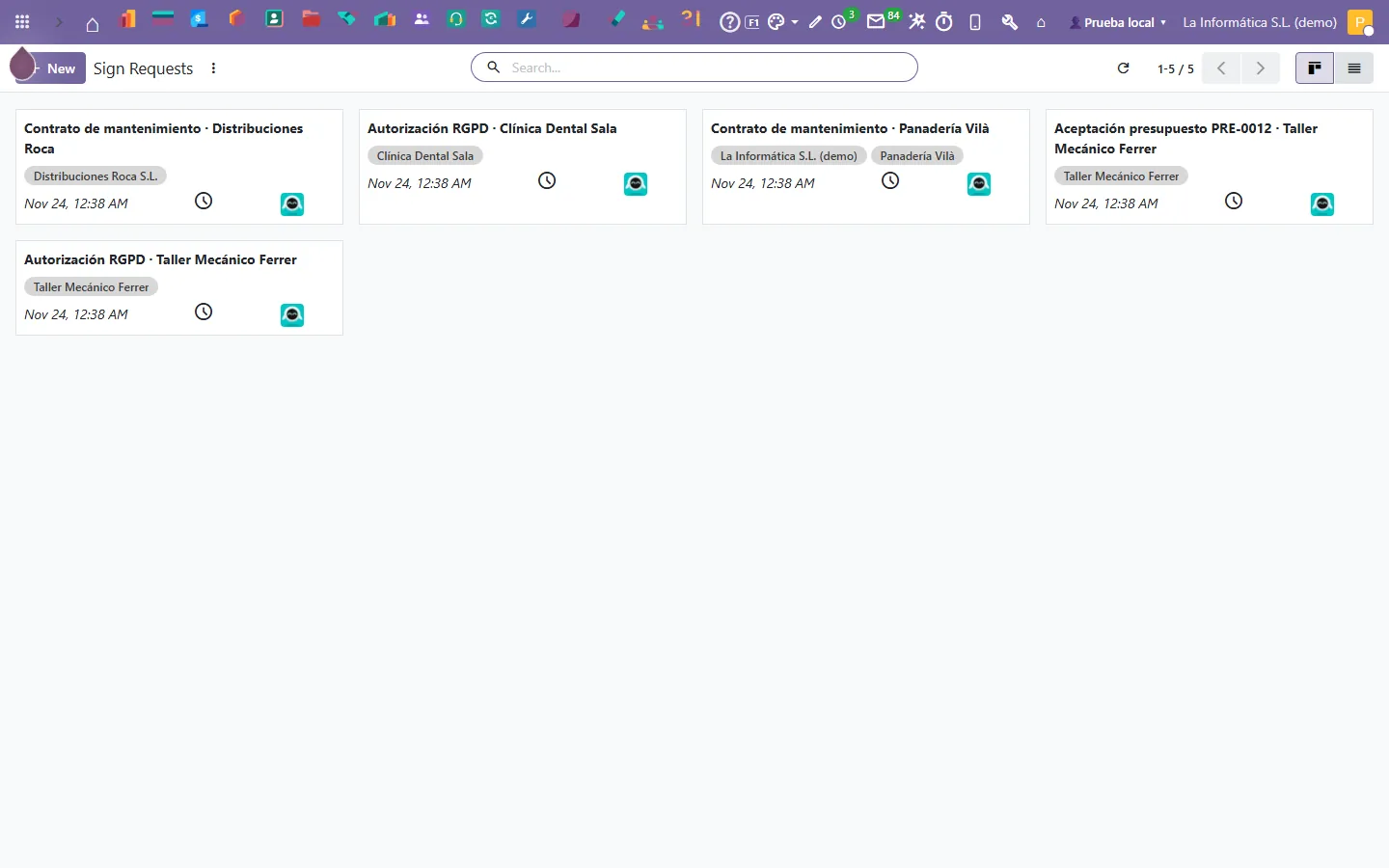
Where it is
Documents › «Signatures» (requests) and «Signature templates».
Prepare a template
Documents › «Plantillas de firma» › New: upload the PDF, press «Configurar» and drag the fields (signature, text, date, checkbox) to their place, each one for a role (customer, company…).
Send for signature
In the template, «Generate request»: choose who signs in each role and send. Each signer receives an email with their link; they do not need an Odoo account.
Sign
The link opens the PDF with the fields: fill them in, draw or type the signature and press «Validate». It asks for location if the template requires it.
When finished
When the last one signs, the request moves to «Firmado», the signed PDF is kept as an attachment of the source document (and notes it in its history) and the certificate with the audit log can be downloaded.
Who can see it
Internal users › Documents › «Document signing» and «Signature templates».
Questions
- How do I send a document for signature?
- Documents › «Signature templates»: upload the PDF, place the signature fields and press «Generate request» choosing the signers; they get an email with the link to sign on screen.
- Where is the signed document?
- Documents › «Signatures»: each request shows who signed and its audit log. The signed PDF is also attached to the source document.
- How do I prepare a signature template?
- Upload the PDF as a template and place the signature, date and text fields where needed; it is reused afterwards.
- How does the customer sign?
- Open the link in the email and sign by drawing with a finger or mouse, or by typing the name. No account needed.
- Where is the signed PDF?
- When finished, the signed PDF is stored in the source document and the request keeps the audit log.
- Who can send signatures?
- You need the «documentos.firma» permission in Internal users and the signature module installed.
- How many signers can a document have?
- As many as you need: each signer gets a link and the document is complete when everyone has signed.
- Can I resend or cancel a signature request?
- Open the pending request: from there you can resend the email to the signer or cancel it before they sign.