
Tasks and hours
Task board by urgency and importance, «Send to the board» from any document, hours timer, hours diary and projects.
- Technical name
gerp_tareas- Author
- GestioERP · SIAM Cloud
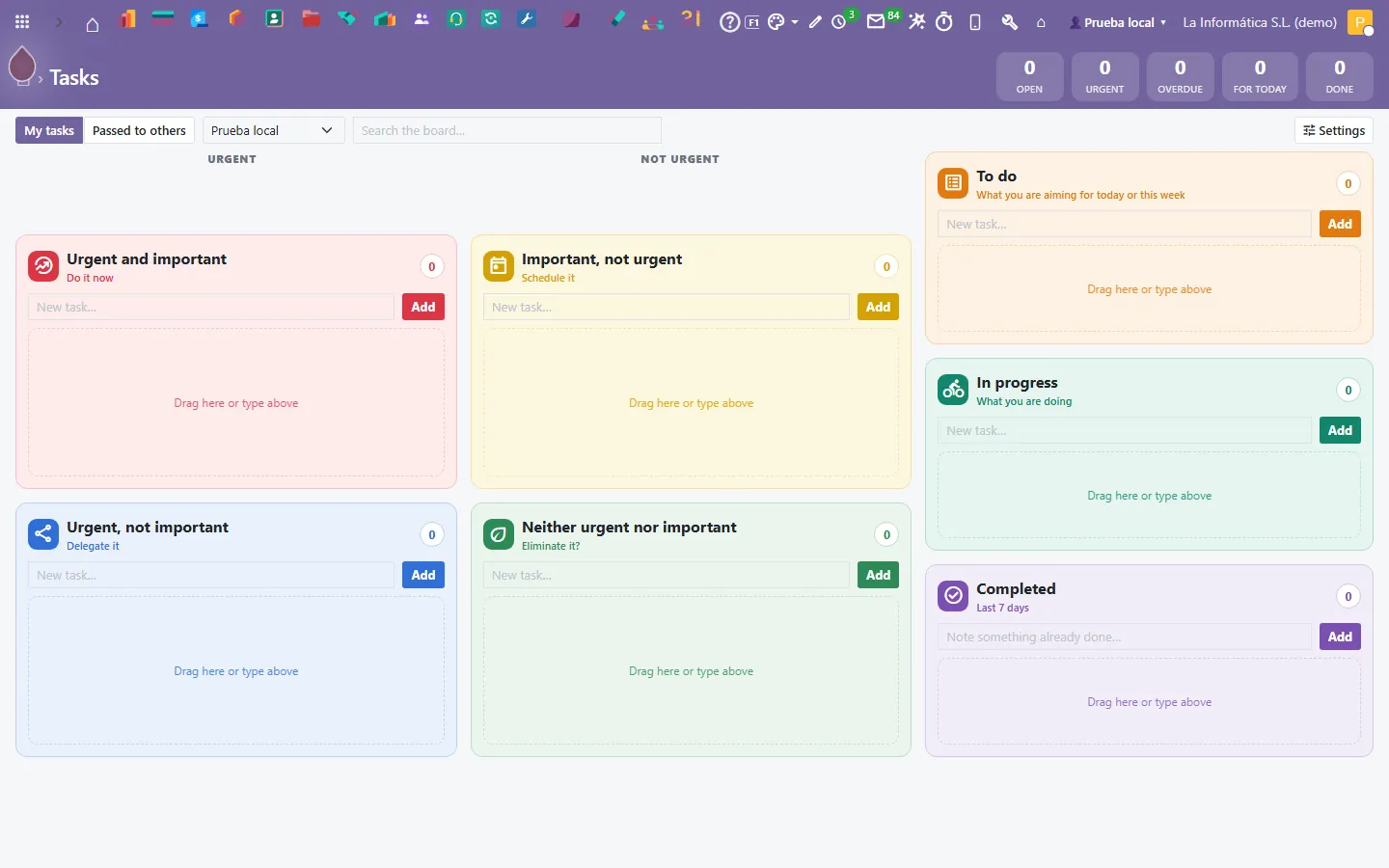
Dashboard
Drag the cards between columns; the circle completes them.
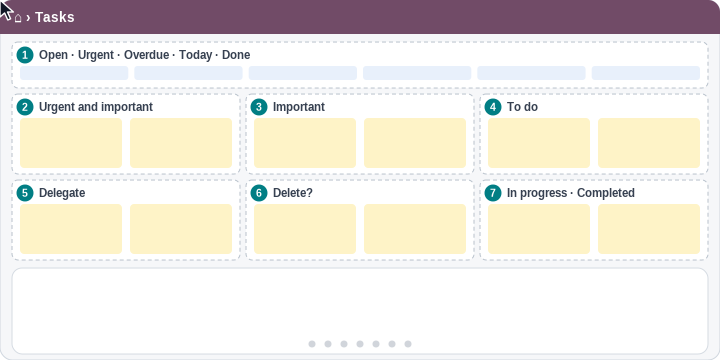
- The figures.
- Do it now.
- Plan it.
- This week.
- Delegate it.
- Surplus.
- What you do and what is done.
Hours
The timer in the top bar: project or customer and channel, «Start» and when you stop it saves the time.
Send to the dashboard
On any saved record, orange «Send to the dashboard» button: text, «With a link to this screen», the quadrant and «More: person responsible, date, notes».
Complete a task
Press the circle on the card; it moves to Completed (the last few days are shown).
Pass a task to someone else
Card «…» menu › person responsible; you see it in «Passed to others».
The dashboard settings
Dashboard «Settings»: name of each column and the number of days completed items are shown.
The hours projects
Tasks and hours › Projects: customer and contracted hours; you see the hours worked.
The hours channel
In the timer, Channel: incoming call, outgoing call, email, visit, remote, workshop…
The overdue tasks
«Overdue» figure at the top of the dashboard; cards with a past date are highlighted.
Move tasks with your finger
Press and hold the card and drag it to another column; on mobile the dashboard is shown in a single column.
Questions
- How do I add a task?
- Tasks and hours › Tasks: «New task…» and Add; from a document, the orange «Send to board» button.
- How do I track hours?
- Press the timer at the top, choose project or customer and «Start»; stopping saves it.
- How do I send a document to the board?
- Orange button.
- How do I mark a task done?
- Click the circle.
- How do I delegate a task?
- «…» menu › assignee.
- How do I rename the columns?
- «Settings».
- How do I create a project for hours?
- Tasks and hours › Projects.
- How do I record if it was a call?
- Channel in the timer.