
Customer and supplier record
The full record: buttons with what is pending (orders, delivery notes, invoices), second and third email, risk, payment days, suspension, customer notice, 347, counterpart account and deductible VAT, and the record in PDF and Excel.
- Technical name
gerp_fichas- Author
- GestioERP · SIAM Cloud
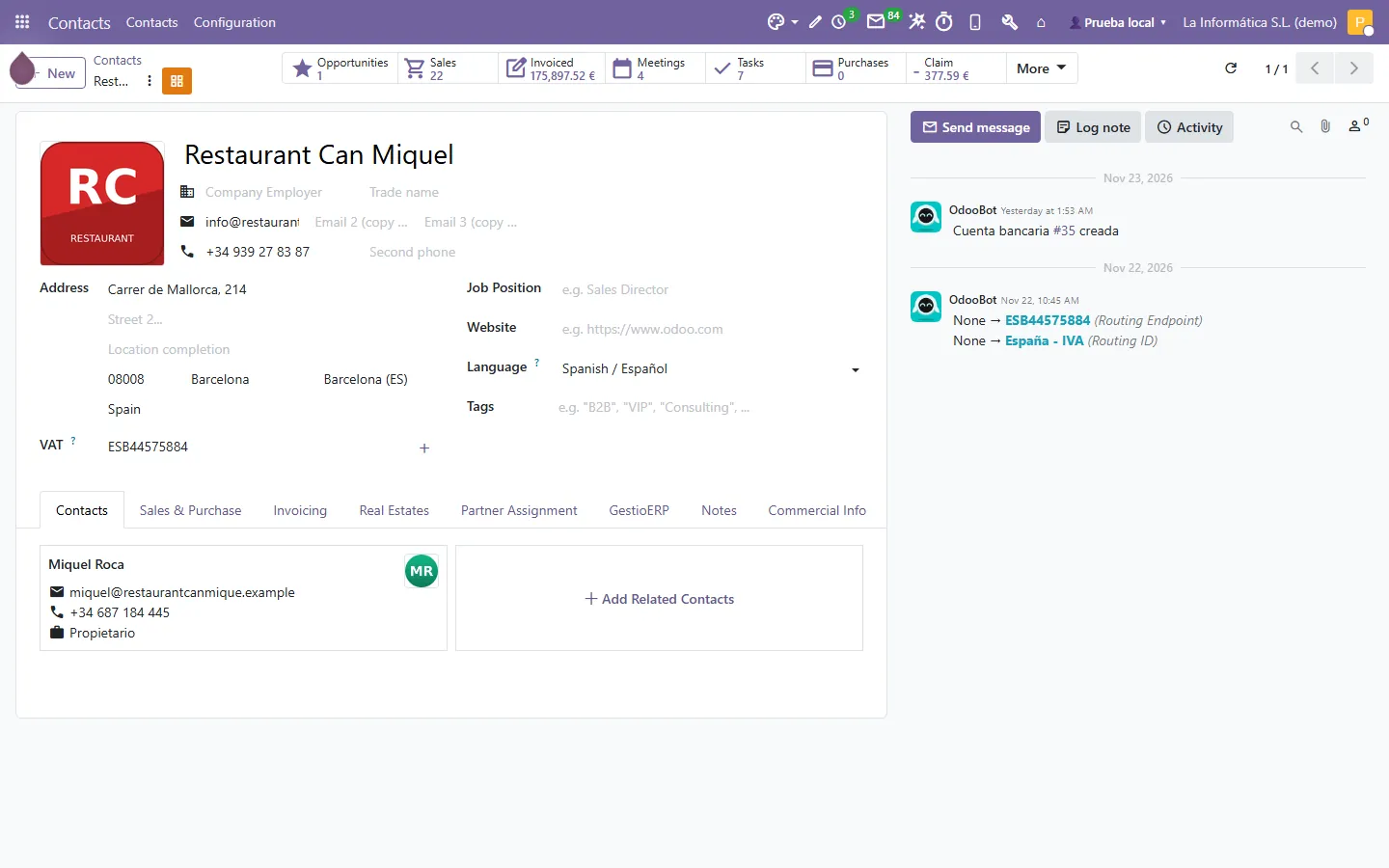
The record
Odoo style: buttons on top and data in tabs.
The record in PDF
«Record in PDF» (or Excel) button on the record: all the data and the summary of sales and amounts pending.
The customer's pending items
Buttons at the top of the record: pending orders, delivery notes and invoices with their amount; press for the list.
The customer's risk
Current risk = pending collection + uninvoiced delivery notes; if it exceeds the maximum it warns you on confirming.
The payment days
Payment days field (e.g. 1,15,31): due dates are moved to those days.
Email 2 and 3
Email 2 and Email 3 on the record also receive the documents you send.
The supplier's counterpart account
On the supplier, Counterpart account (default expense account) and deductible VAT.
Internal consumption
«Internal use (not an invoice)» box: deducts stock but is not invoiced.
The VAT regime
VAT regime (fiscal position), exemption and withholding on the record.
Questions
- How do I set a customer warning?
- On the customer form: warning, credit limit, suspension, Email 2 and 3 and «Exclude from 347».
- How do I print the customer record?
- «Record PDF».
- How do I see pending orders?
- Top buttons.
- How do I see the customer's credit risk?
- Current and maximum risk.
- How do I set payment days?
- Payment days field.
- How do I send invoices to another email?
- Email 2 and 3.
- How do I set the supplier expense account?
- Expense account and deductible VAT.
- How do I mark internal use?
- «Internal use» box.