
Support: invoice the hours
The hours of a support ticket are invoiced on a sales order line (an hourly service): the ticket points to the line and its hours go to it and are invoiced with the order.
- Technical name
gerp_helpdesk_sale_timesheet- Author
- GestioERP · SIAM Cloud
Invoice the hours of a ticket
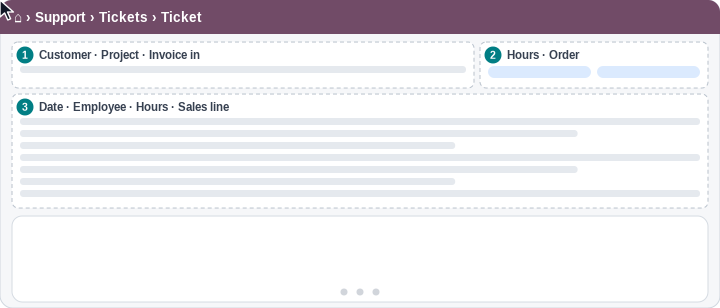
In the ticket record, the «Invoice on» field (only with the «Invoice the hours» permission) points to the line of a confirmed sales order, of a service invoiced by hours and of the same customer. The ticket's hours go to that line and are invoiced with the order, like those of a project.
- Sell the customer a service by the hour (a sales order with that service) and confirm it.
- Open the customer's ticket and log the hours in the «Hours» tab».
- In «Invoice in» choose the order line.
- Invoice the order as usual: the ticket hours count as delivered.
- «Invoice in» lists only services from confirmed orders of the ticket's customer.
- The «Pedido» button opens the sales order the hours go to.
- In the hours lines, the optional «Order line» column shows which one each belongs to.
What happens if I change the line
When you change «Invoice on», the ticket hours that are not yet invoiced move to the new line. Those already invoiced are left alone. The ticket takes precedence even if the project is not billable.
Who can see it
The «Facturar en» field and the «Pedido» button only appear to whoever has the «Facturar las horas» permission (key soporte.facturar) in Internal users, Support dashboard button. It also needs the logged hours of the «Soporte: horas imputadas» add-on».
Questions
- How do I invoice a ticket's hours?
- Confirm a sales order with an hourly service, open the ticket and pick that line in «Invoice on». The ticket's hours go to the line and are invoiced with the order.
- No line appears in «Invoice on»
- Only service lines from confirmed sales orders of the ticket's customer (or their contacts) appear. Check that the ticket has a customer and that the order is confirmed and is a service, not a product.
- How do I see a ticket's sales order?
- With a line chosen in «Invoice on», the «Order» button appears at the top of the ticket and opens the sales order the hours go to.
- What happens to the hours if I change the billing line?
- Hours not yet invoiced move to the new line; hours already invoiced stay where they were.
- Who can invoice support hours?
- Anyone with the «Invoice the hours» permission (soporte.facturar) under Internal users, a Support panel button. Without it neither «Invoice on» nor the «Order» button show.
- Are hours invoiced even if the project isn't billable?
- Yes: if the ticket has a line in «Invoice on», that line wins and the hours are invoiced on it even if the hours project isn't billable.
- What do I need to invoice support hours?
- Support with logged hours plus Odoo's billable timesheets in sales. This add-on installs itself when both are present. Then sell an hourly service and pick it on the ticket.
- Where can I see which line the hours go to?
- On the ticket's «Hours» tab enable the optional «Order line» column (column menu on the right): it shows the order and line of each timesheet.