
Receivables
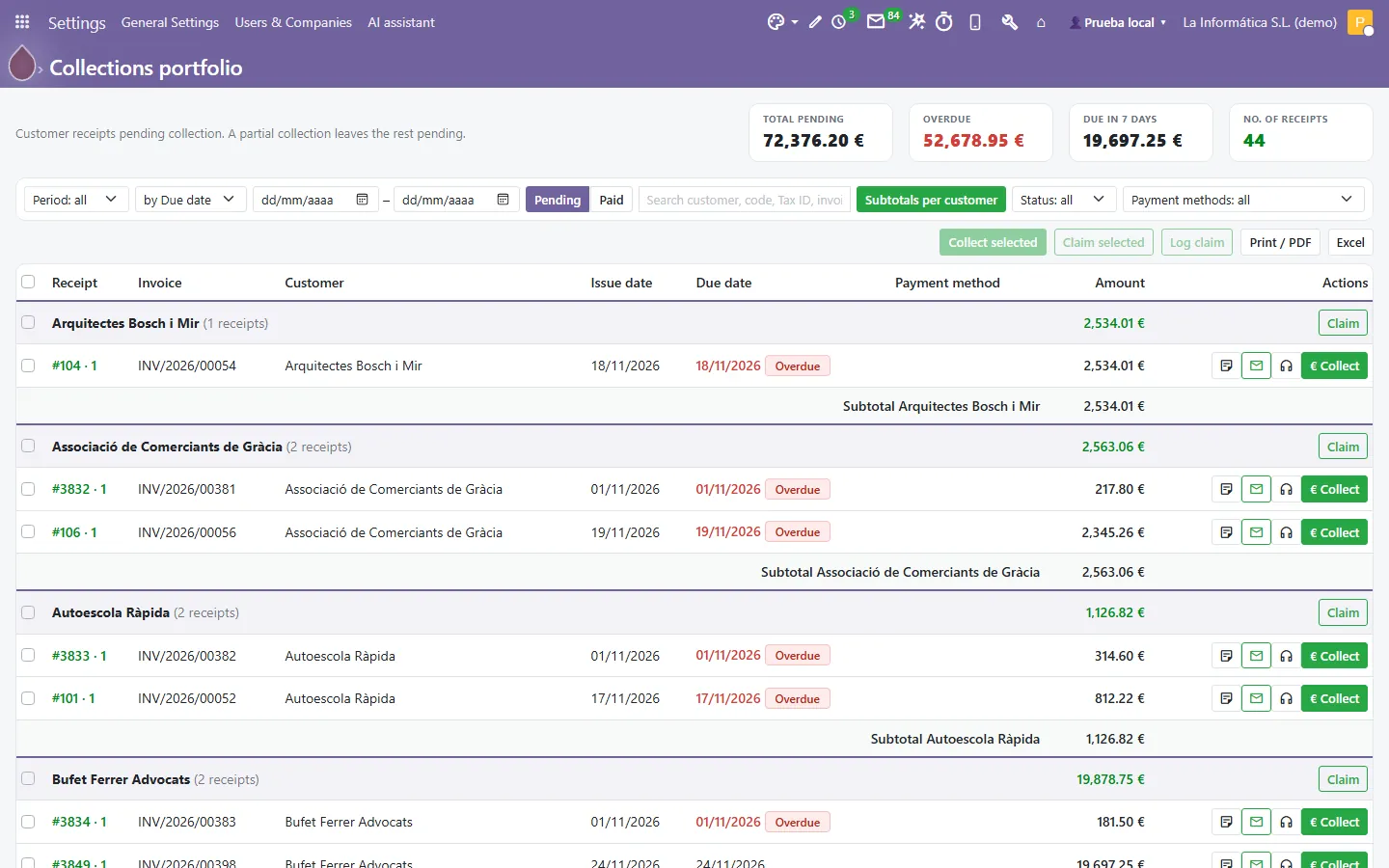
The pending customer receipts, with subtotals per customer, to collect, to claim by email one by one or in a group, and to note comments and follow-ups with a reminder.
- Technical name
gerp_cartera- Author
- GestioERP · SIAM Cloud
Receivables
Each receipt is a due date of a customer invoice.
- Tick «Subtotals per customer».
- Press «Claim» in the customer header.
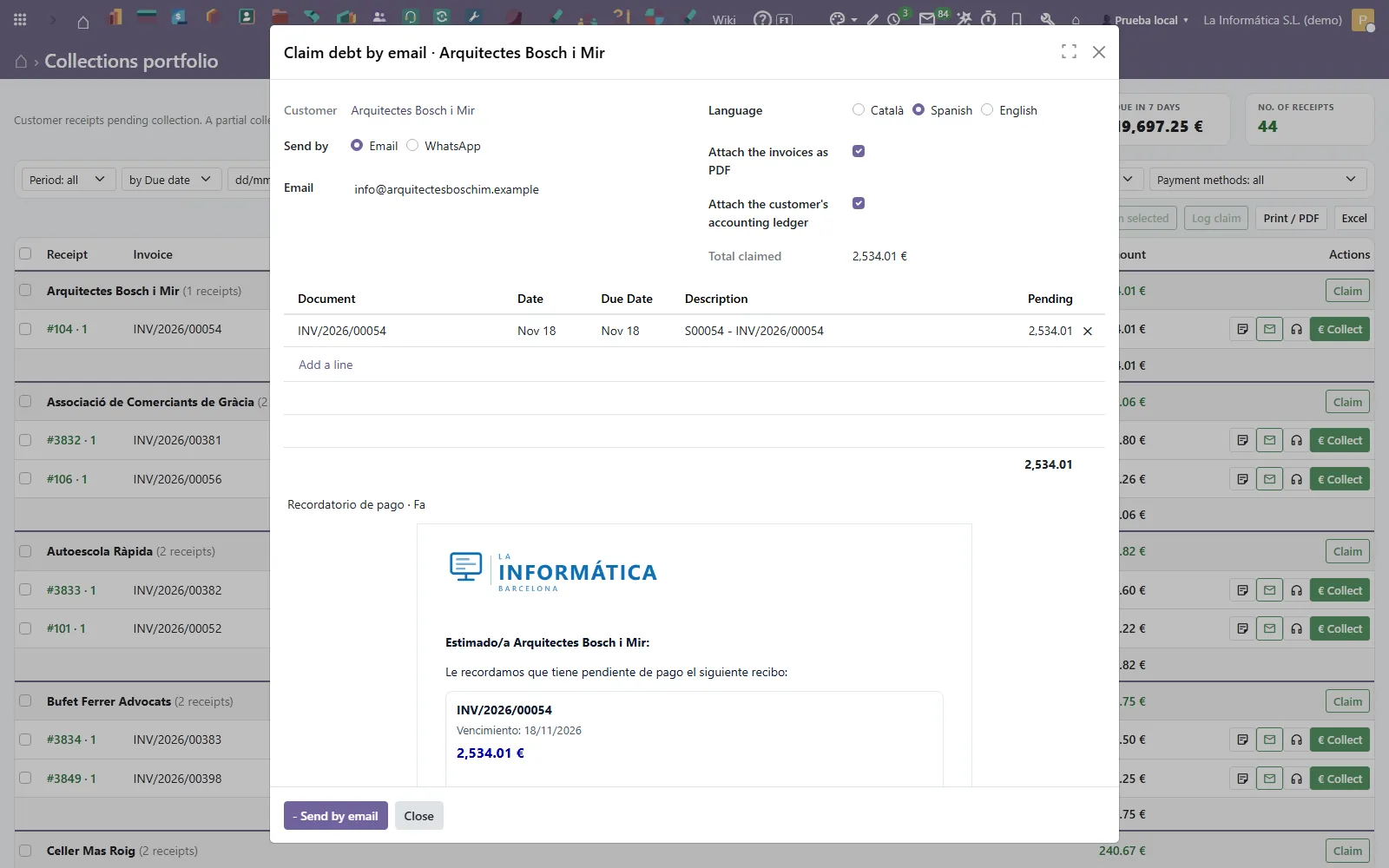
- Review the email (attach the invoices and the ledger) and send it.
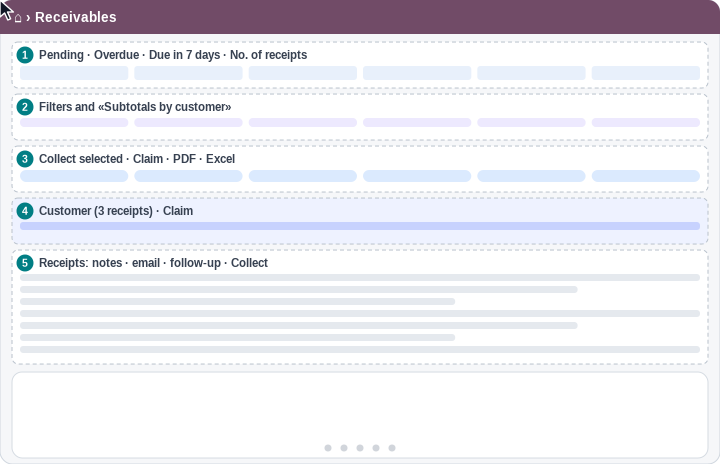
- The receivables figures.
- Filter by dates, status or payment method; group by customer.
- Actions on the selected items.
- Header for each customer with their total and «Claim» all their receipts.
- Each receipt: notes, email, follow-up with reminder and collect (a partial one leaves the rest pending).
The subtotals per customer
In Receivables turn on «Subtotals per customer»: a header per customer with no. of receipts, total and «Claim», and its subtotal row.
The claim notes
Receipt notes button: «Claim notes» (commitments, dates); they are saved on the invoice and in the history.
The claim follow-up
Receipt follow-up button: type of action (call, email, visit), remarks and «Remind me on» day and time: a note is left on the customer and an activity on that day.
Collect several receipts
Tick the receipts and «Collect selected»: date, how it is collected and bank or cash.
Receivables in Excel
«Print / PDF» and «Excel» buttons in Receivables, with the filters and subtotals you have applied.
The paid receipts
In Receivables and payables change «Pending» to «Paid».
The filter by payment method
«Payment methods» filter in Receivables: choose bank receipt, transfer, Bizum…
The receivables figures
At the top of Receivables: total pending, overdue (red), due within 7 days and no. of receipts.
The claim email
In «Claim debt by email»: to, language, subject, «Attach invoices as PDF» and «Attach the customer ledger»; the message includes the portal's «Pay» button.
Questions
- How do I chase an unpaid invoice?
- Sales › Receivables: with «Subtotals by customer», press «Claim» on the customer to email all their receipts.
- How do I collect a receipt?
- In Receivables press «€ Collect» on the receipt: date, amount, method and bank or cash.
- How do I group receipts by customer?
- In Receivables turn on «Subtotals by customer».
- How do I note what I discussed with the customer?
- Receipt notes button: saved on the invoice.
- How do I set a reminder to call?
- Follow-up button: type, notes and «Remind me» on a day and time.
- How do I collect several receipts at once?
- Tick receipts and «Collect selected».
- How do I export receivables to Excel or PDF?
- «Print / PDF» and «Excel» buttons.
- How do I see collected receipts?
- Switch «Pending» to «Paid».