
Support (tickets)
Support tickets: they arrive by email (each team's address), from the customer portal or the website; they are assigned automatically among the team, have kanban stages, deadlines (SLA) with alerts, predefined replies, a satisfaction survey with stars and reports.
- Technical name
gerp_helpdesk- Author
- GestioERP · SIAM Cloud
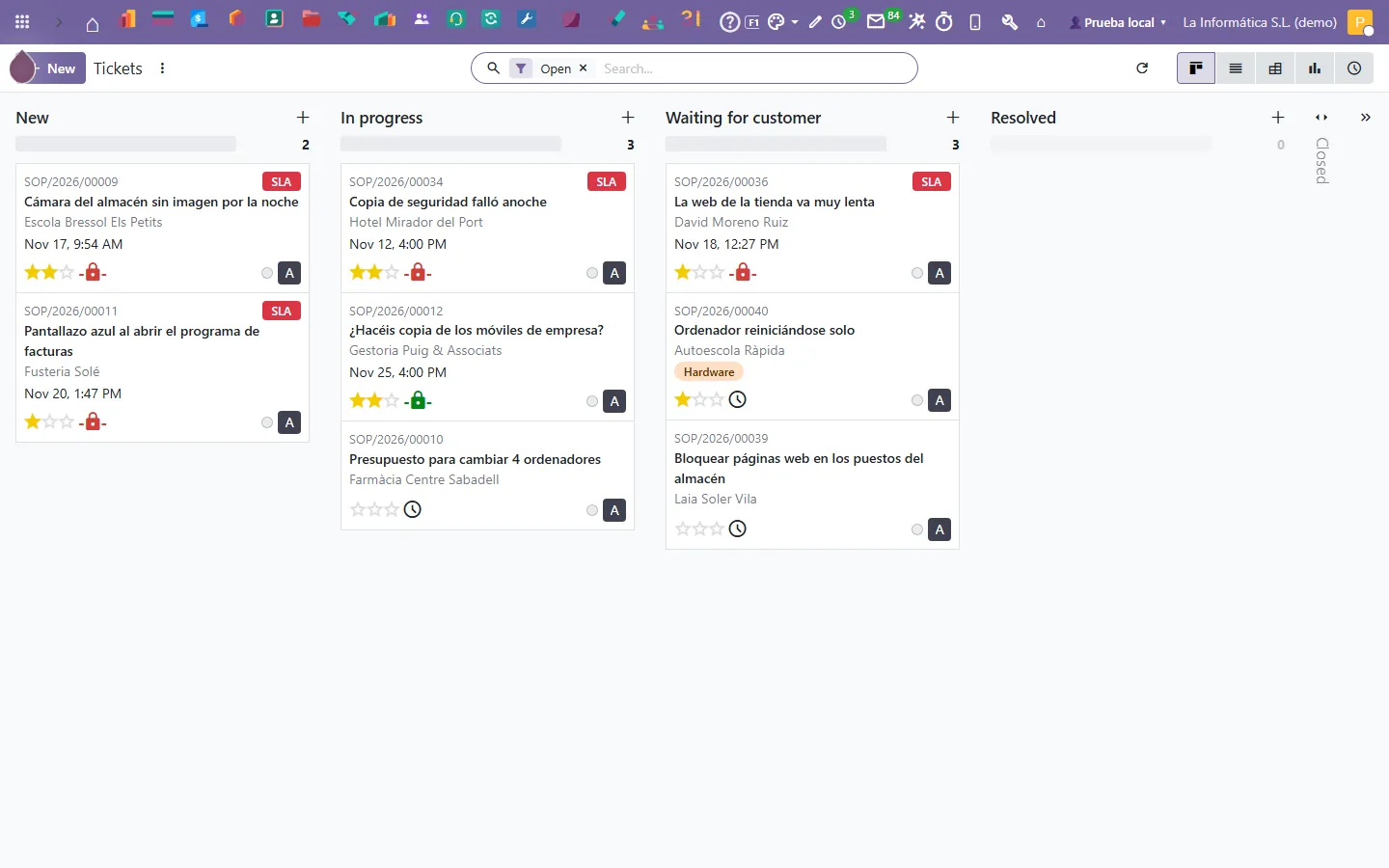
The ticket kanban
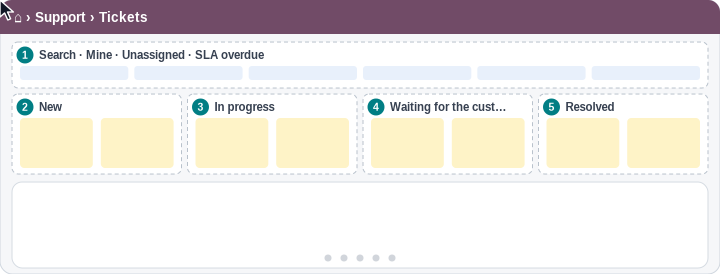
Support › Tickets. One column per stage: New, In progress, Waiting for customer, Resolved and Closed. Drag the card to move it to another stage.
- Filters: yours, those nobody has and those past the deadline.
- What has just arrived: it is distributed automatically among the team.
- What someone is looking at.
- We have asked the customer something; if they answer, it goes back to «In progress» by itself».
- Done: the customer receives the notice and the star survey.
A ticket
Contact and customer (their company), team, assigned to, priority (stars) and labels. Buttons: «Responder» (with predefined replies), «Asignármelo» and «Cerrar». Below, the messages with the customer and the internal notes; the activities, in the clock.
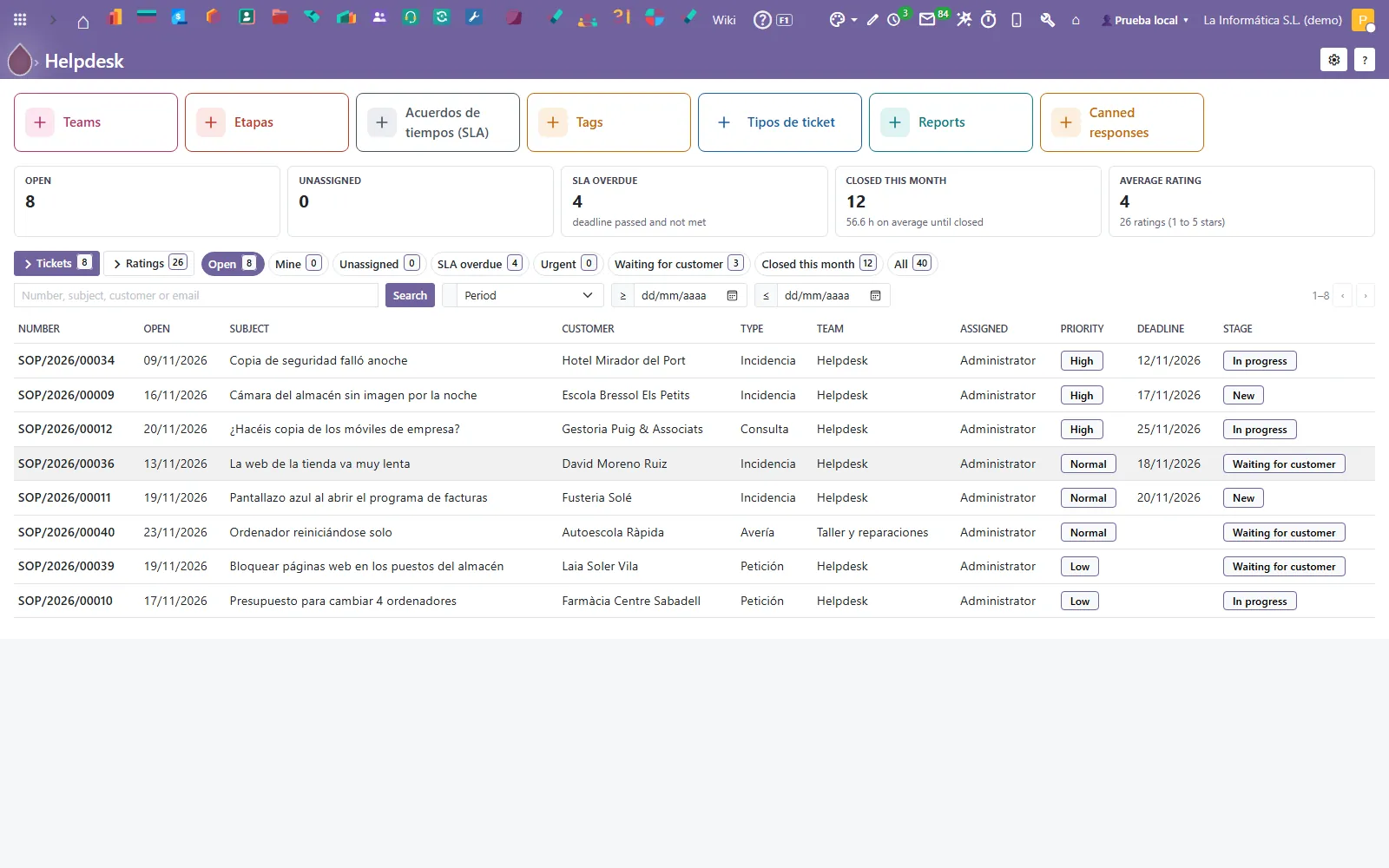
Support dashboard
Support › Support dashboard: open, unassigned, overdue SLA, closed this month with the average hours and average rating. Tickets and Ratings tabs with filters and a search box.
Teams and distribution
Support › Settings › Teams: members, assignment (manual, round-robin or to whoever has the fewest open), email address, whether it appears in the portal and on the website, schedule for the deadlines and survey.
Service level agreements (SLA)
Support › Settings › Service level agreements: «urgent ones, in progress within 4 hours». The assignee receives an activity with the deadline; if it passes, the ticket appears in red and in «SLA overdue».
Reports
Support › Reports: tickets by stage, response and resolution times (average in hours), SLA compliance and ratings.
The customer in their portal
In «My account › Support» the customer sees their tickets, replies, opens a new one and marks it as resolved. The link arrives with the acknowledgement email.
Questions
- how do I create a ticket
- Support › Tickets › New: subject, contact and team. It gets a number (SOP/year/…), is assigned automatically by the team's rule and the customer gets an acknowledgement.
- tickets by email
- In Support › Configuration › Teams, field «Email»: every email to that address opens a ticket for the team; customer replies go to the same ticket.
- what is the sla
- A time agreement says within how many working hours a ticket must reach a stage (by priority, tags or customer). The assignee gets an activity with the deadline and, if it passes, the ticket shows under «SLA overdue».
- satisfaction survey
- When a ticket moves to «Solved», the customer gets an email to rate 1 to 5 stars (if the team has the survey on). See them on the ticket and in Support › Reports › Ratings.
- support response time
- Support › Reports › Response and resolution times: average hours to first reply and to close, by assignee and month.
- customer opens a ticket from the portal
- In their portal (My account › Support) the customer sees their and their company's requests, replies in the messages, opens a new one and marks it solved. Only teams with «Visible in the portal» are offered.
- how are tickets assigned
- On the team, «Ticket assignment»: manual (nobody), round robin (each member in turn) or to whoever has fewest open. Only team members count.
- canned responses
- The ticket's «Reply» button: pick a canned response (GestioERP texts, if that module is installed), edit it and on sending you can move the ticket to «Waiting for customer».