
Send by WhatsApp
Sends quotes, orders, invoices and delivery notes by regular WhatsApp with the portal link to view, accept and pay them online, and the debt reminder.
- Technical name
gerp_whatsapp- Author
- GestioERP · SIAM Cloud
Send
«WhatsApp» button on the document.
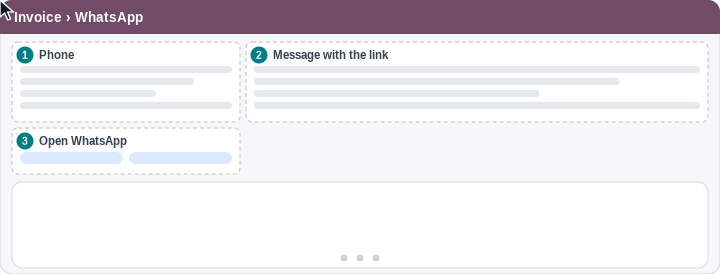
- The contact's mobile (can be changed).
- The text already written with the portal link (and the pay link if they owe).
- Opens WhatsApp with everything filled in; a note is left on the document.
The WhatsApp reminder
«WhatsApp reminder» from the customer or from Receivables: the overdue invoices with their amount and the payment link.
The customer portal
The link in the message opens the portal: the customer sees the document, downloads it as a PDF, accepts and signs the quote and pays.
Online payment
In the portal, «Pay now» by card or bank transfer (payment providers are turned on in Settings › Payments; you need the gateway account).
The WhatsApp phone number
It can be changed in the dialog; the mobile number of the contact or the customer is used, and +34 is added if missing.
The WhatsApp message
The message is written according to the document and the customer's language; it can be edited before WhatsApp opens.
Send a delivery note by WhatsApp
On the outgoing delivery note, «WhatsApp» button.
The note of WhatsApp sent
When WhatsApp opens, a note is left in the document history; quotes change to «sent».
WhatsApp without a phone
If the contact has no mobile number a notice appears: type it in the dialog or on their record.
Questions
- How do I send an invoice by WhatsApp?
- On the document press «WhatsApp»: check phone and message and «Open WhatsApp».
- How do I remind a debt by WhatsApp?
- «WhatsApp reminder».
- How do I the customer downloads the invoice?
- The link opens the portal.
- How do I the customer pays by card?
- In the portal, «Pay now».
- How do I change the phone when sending?
- It can be changed.
- How do I change the message text?
- It can be edited.
- How do I send a delivery note?
- «WhatsApp» button on the delivery.
- How do I know if I already sent it?
- A note is left.